One enquiry, followed all the way to the traveller's hands
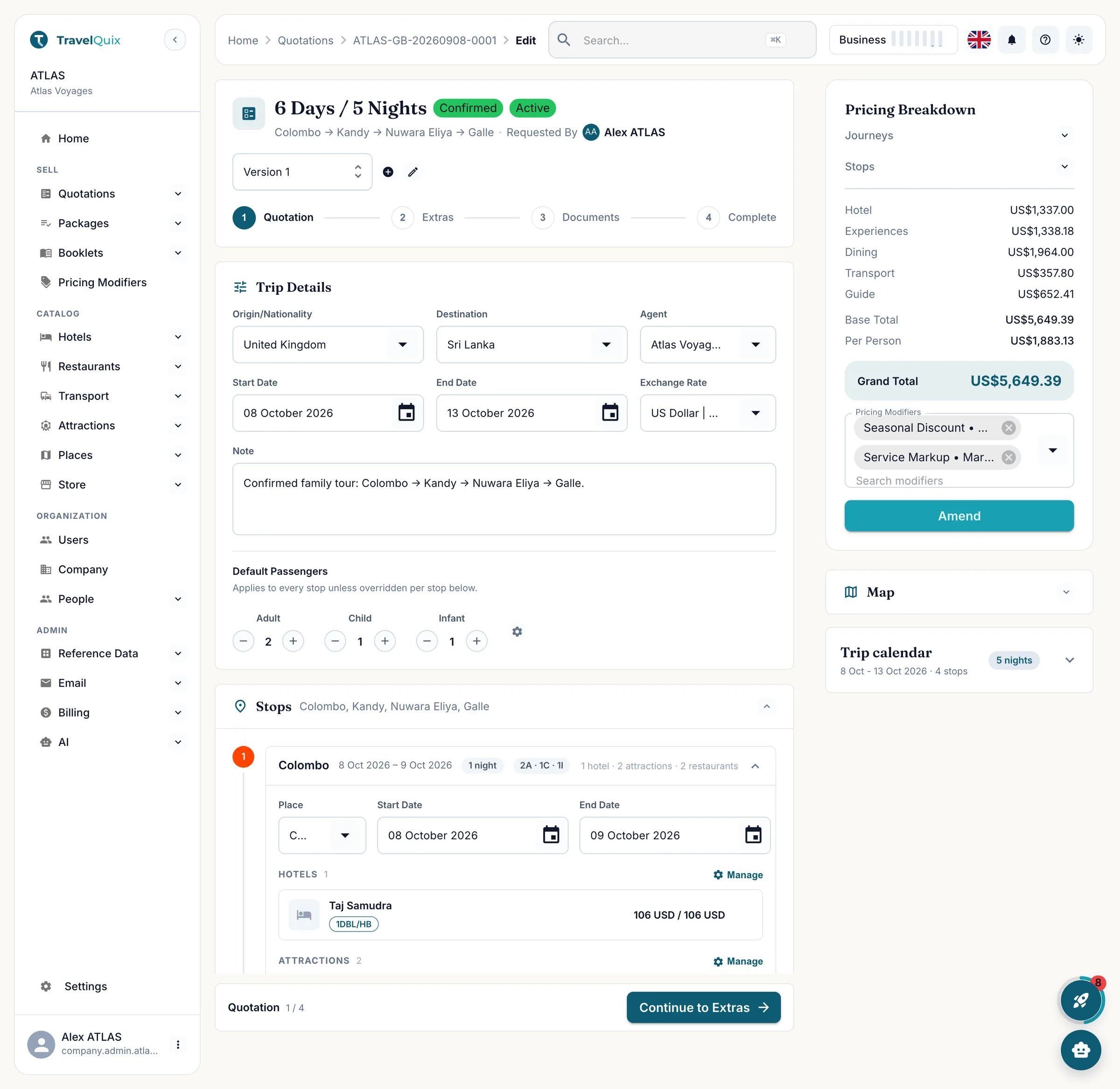
Every screen below is the product running a real six-day family tour of Sri Lanka: Colombo, Kandy, Nuwara Eliya, Galle. Two adults, one child, one infant, quoted in US dollars.
The work is the same. The retyping is what goes away.
Nothing here asks you to change how you sell a tour. It changes how many places you have to enter it.
Spreadsheets and inboxes
A rate sheet per supplier, and the current one is in someone’s inbox
The quote is a spreadsheet, the itinerary is a document, and they disagree
A hotel changes and four files have to be edited by hand
The client asks for a second option and the first one gets overwritten
One system
One catalog, with your contracted rates and their season dates
Quotation, itinerary, vouchers and booklet built from the same trip
Change the hotel once and every document is correct again
Two versions sit side by side under one booking reference
Six steps from enquiry to booklet
Each step hands its data to the next one, so the price on the quotation, the room on the voucher and the day on the booklet are always the same fact.
Load your catalog once
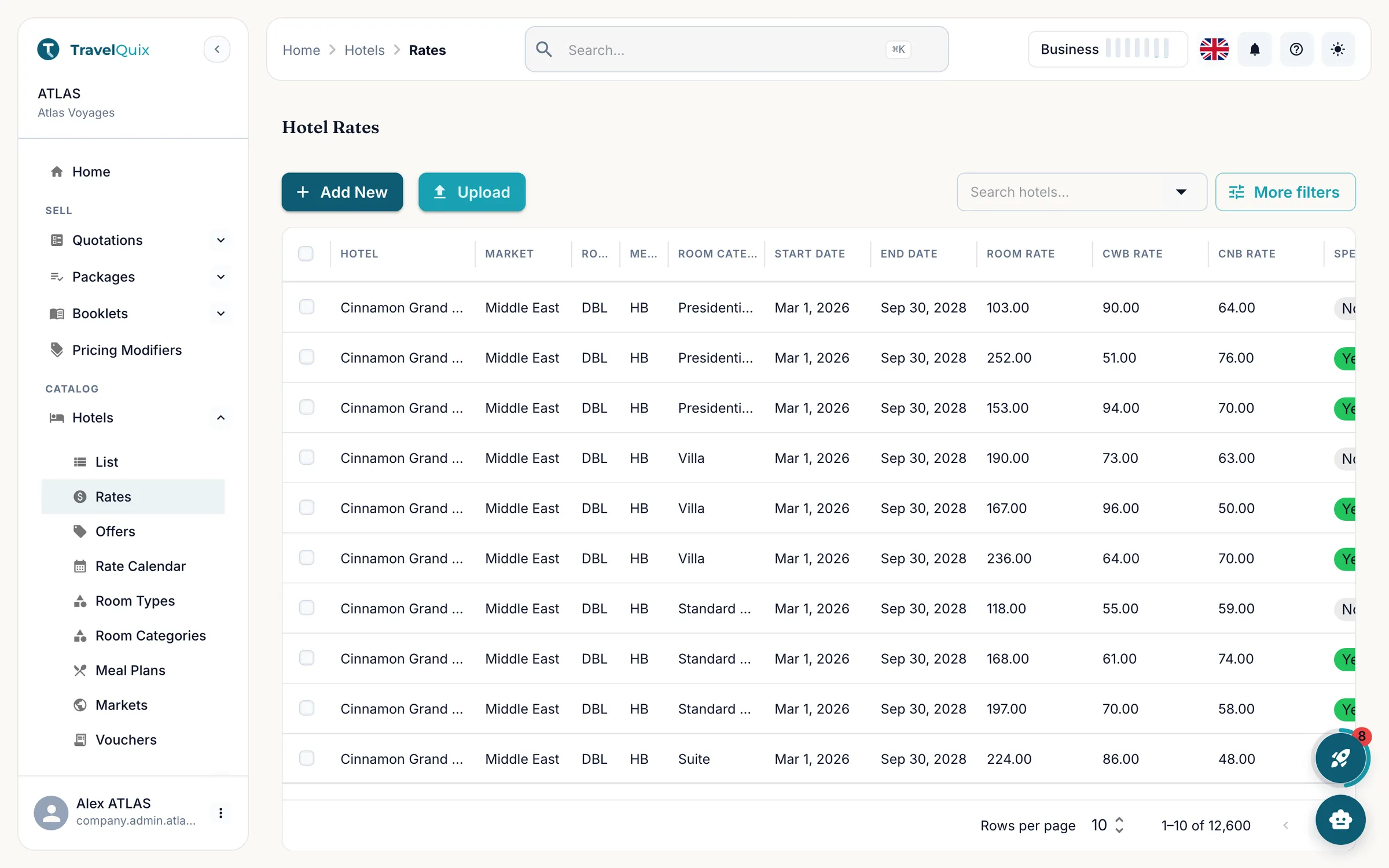
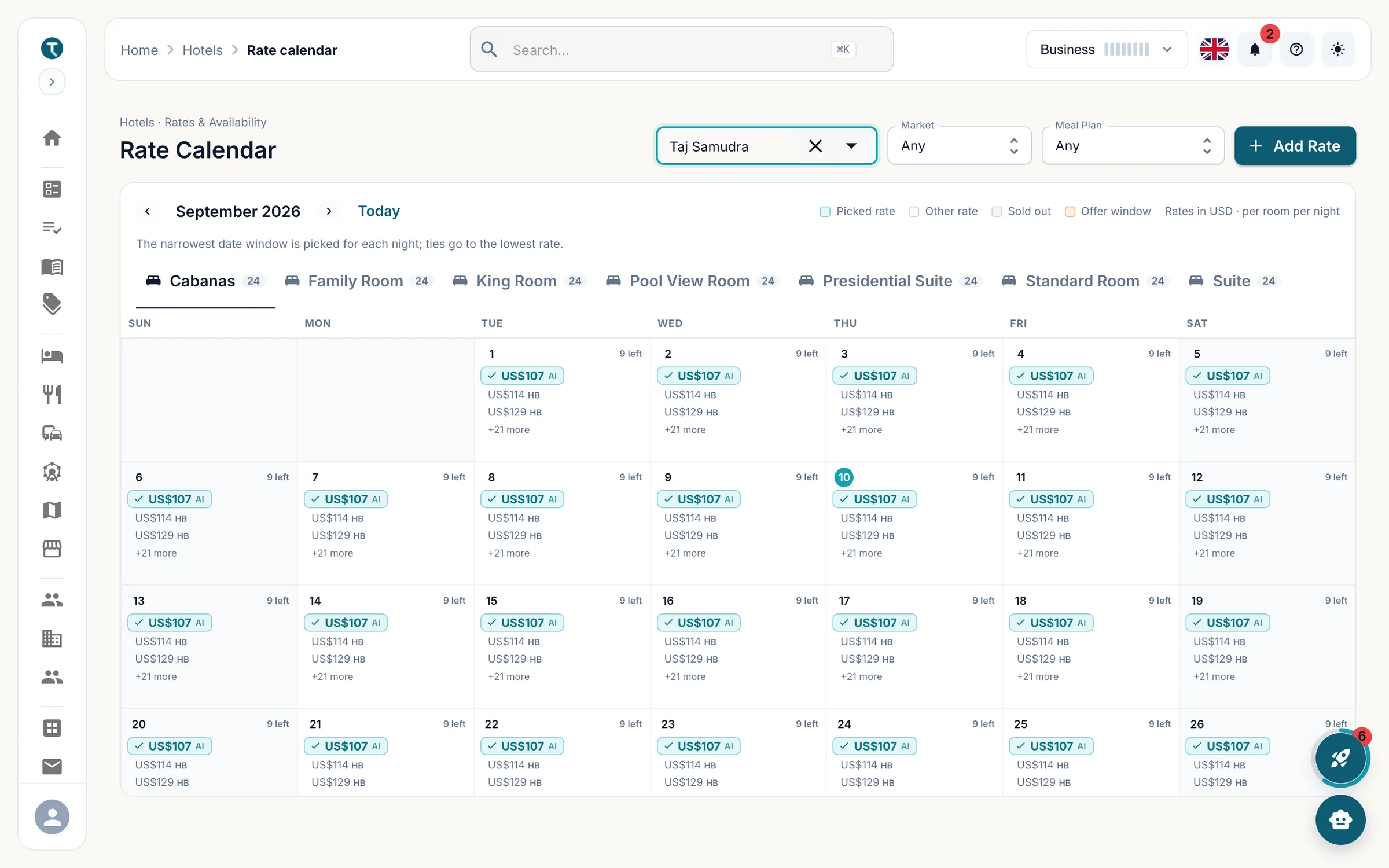
Hotels, transport, guides, attractions and restaurants live in one catalog with your contracted rates against them. Load it once and every quote you build afterwards prices itself from it.
Rates carry their own season dates, markets and currency
Room types, room categories, meal plans and occupancy caps
Import a season from CSV or XLSX and let the job run in the background
Open the quote and build the trip
A quotation starts with where the client is coming from, where they are going, the dates, the selling currency and who is travelling. The booking reference is issued straight away and the rest of the trip hangs off it.
Adults, children and infants counted separately, and per stop if they differ
Rates are snapshotted the moment you pick them
Hotels, experiences and dining attach to the stop they belong to
Transport and guides cover the journeys between stops
Watch the price as you build
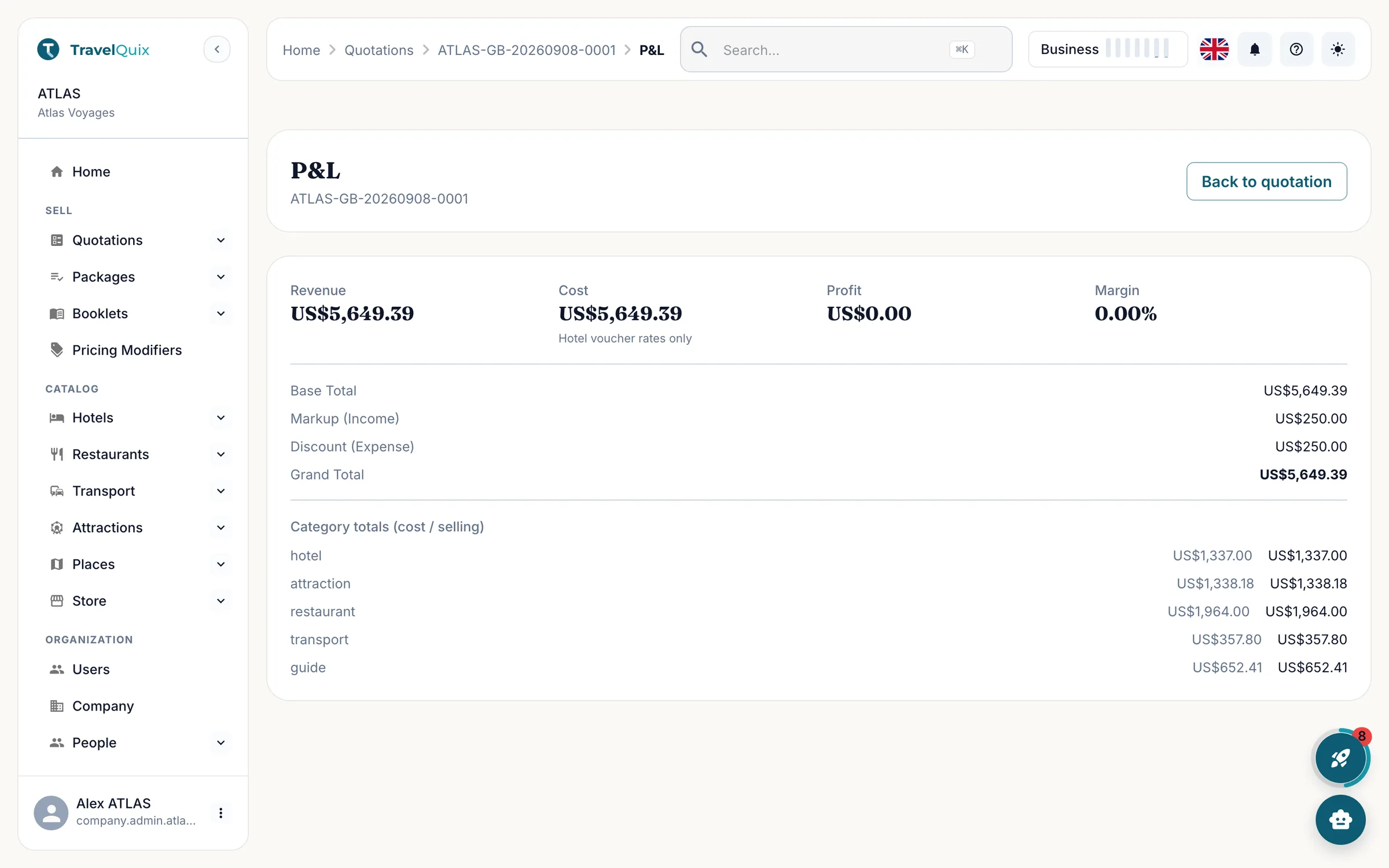
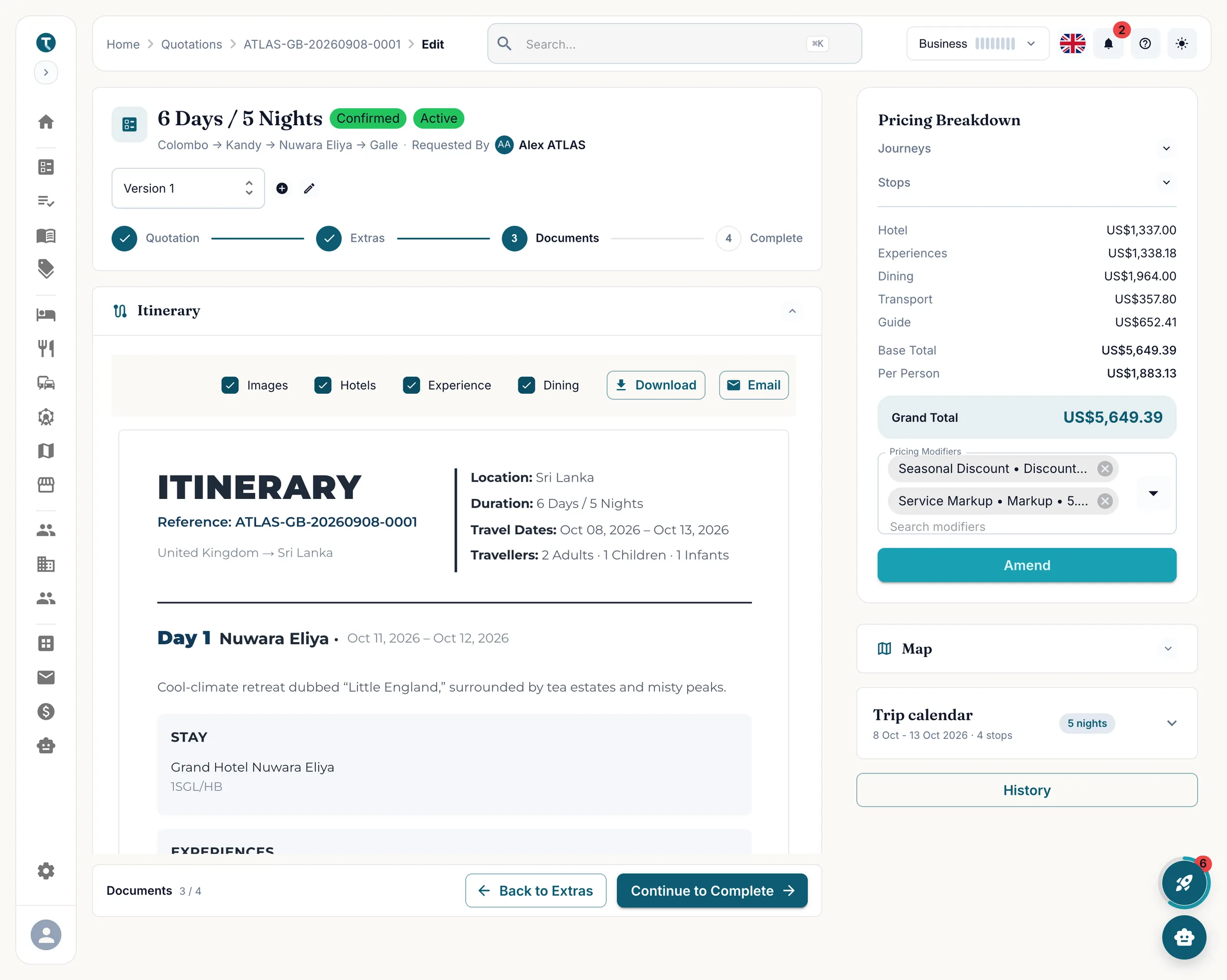
The breakdown stacks hotels, experiences, dining, transport and guides into a base total, a grand total and a per person figure. Costs held in another currency convert at the rate set on this quotation. Attach a discount or a markup and the totals move while you watch.
Per person leaves infants out of the divisor
Reusable markup and discount rules, applied per quotation
Refresh when a supplier rate moves under you
Revenue, cost, profit and margin on the P&L view
Send the documents
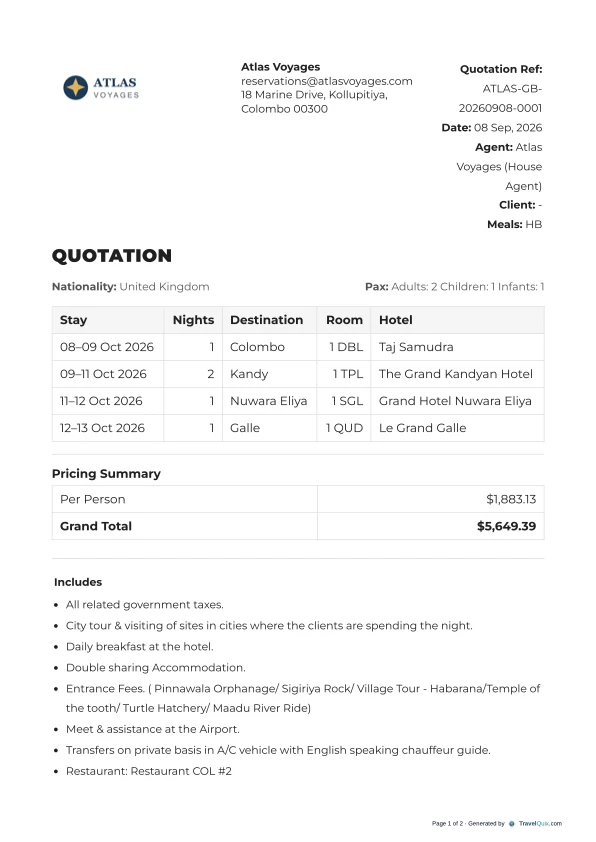
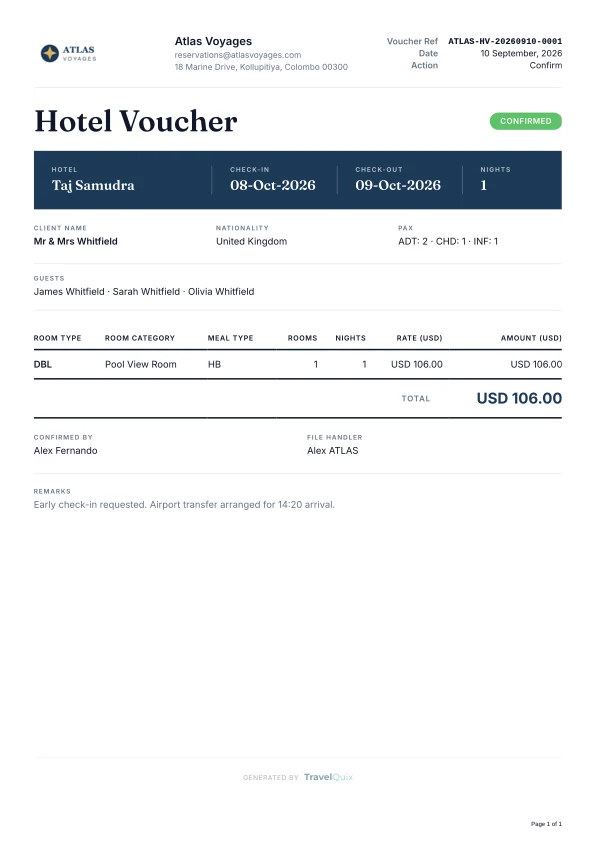
One set of trip data renders every document the booking needs: the quotation, the confirmation, the confirmation voucher, the itinerary and a voucher for each hotel. Decide per document what the reader sees, so the agent copy and the traveller copy come from the same trip without either being entered twice.
Show or hide pricing, images, hotels, experiences and dining
Two versions priced side by side in one quotation
Preview, download or email without leaving the page
Email every voucher at once, or one property at a time
Hand them something worth keeping
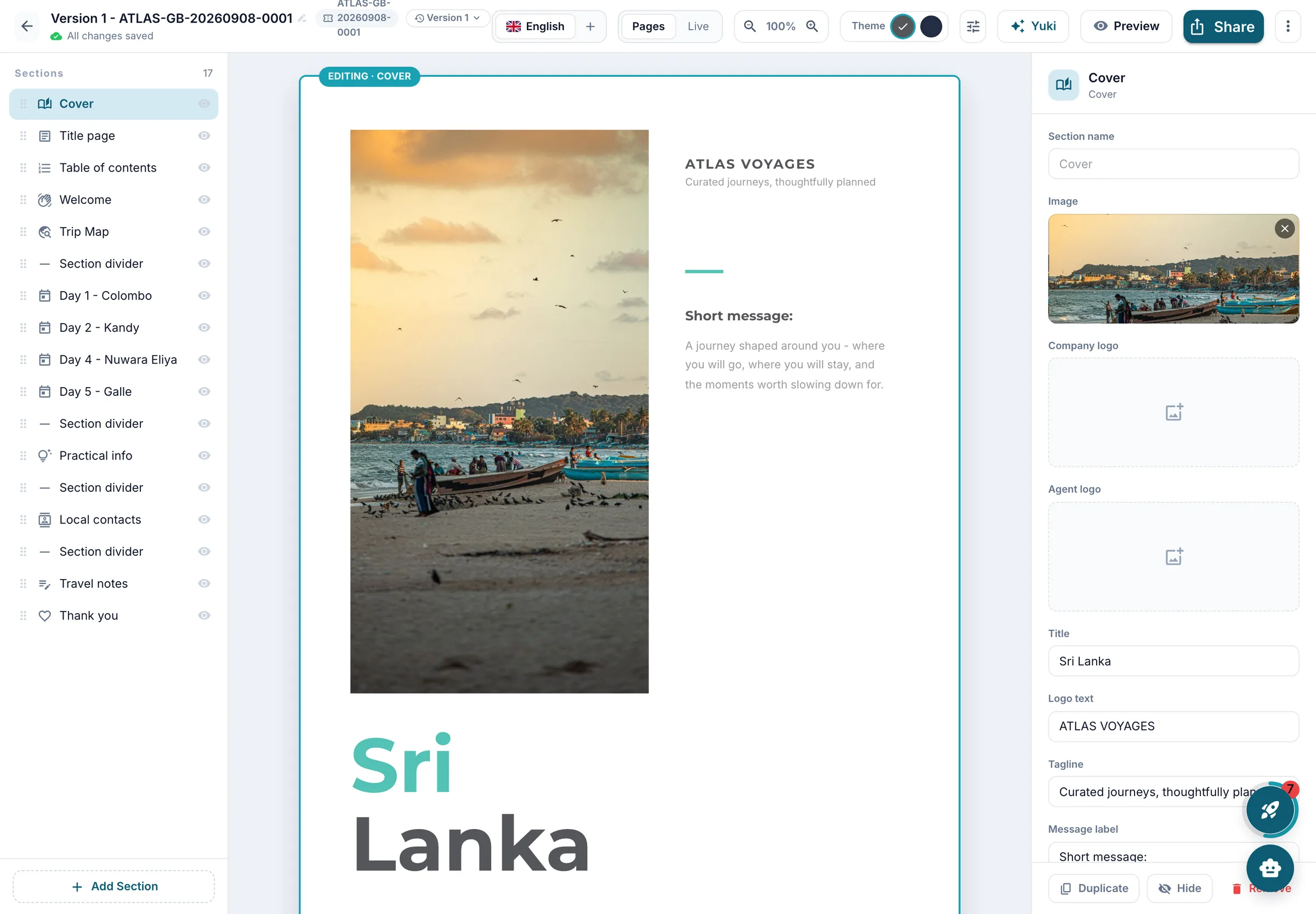
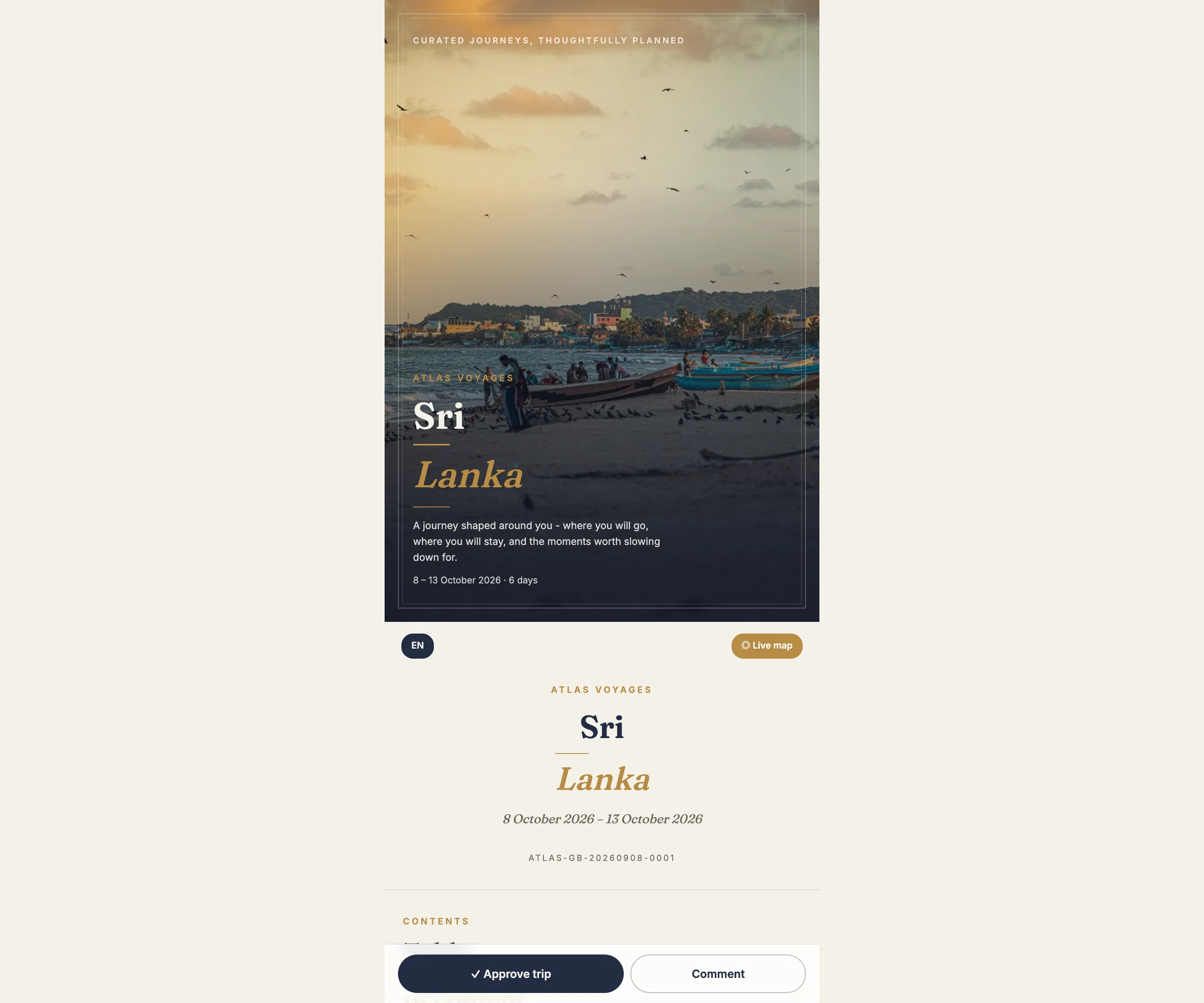
A confirmed trip becomes a client-ready brochure without a designer. Pick a theme and the cover, welcome, day-by-day pages, hotels and contacts are already written from the itinerary. Generate the trip map and it draws the real driving route between their stops.
Two themes, twenty-six section types, your palette and fonts
Share as a link, behind a passcode, or with an expiry date
The traveller can approve the trip or leave a comment
Editing the booklet never changes the quotation
Or let them walk it
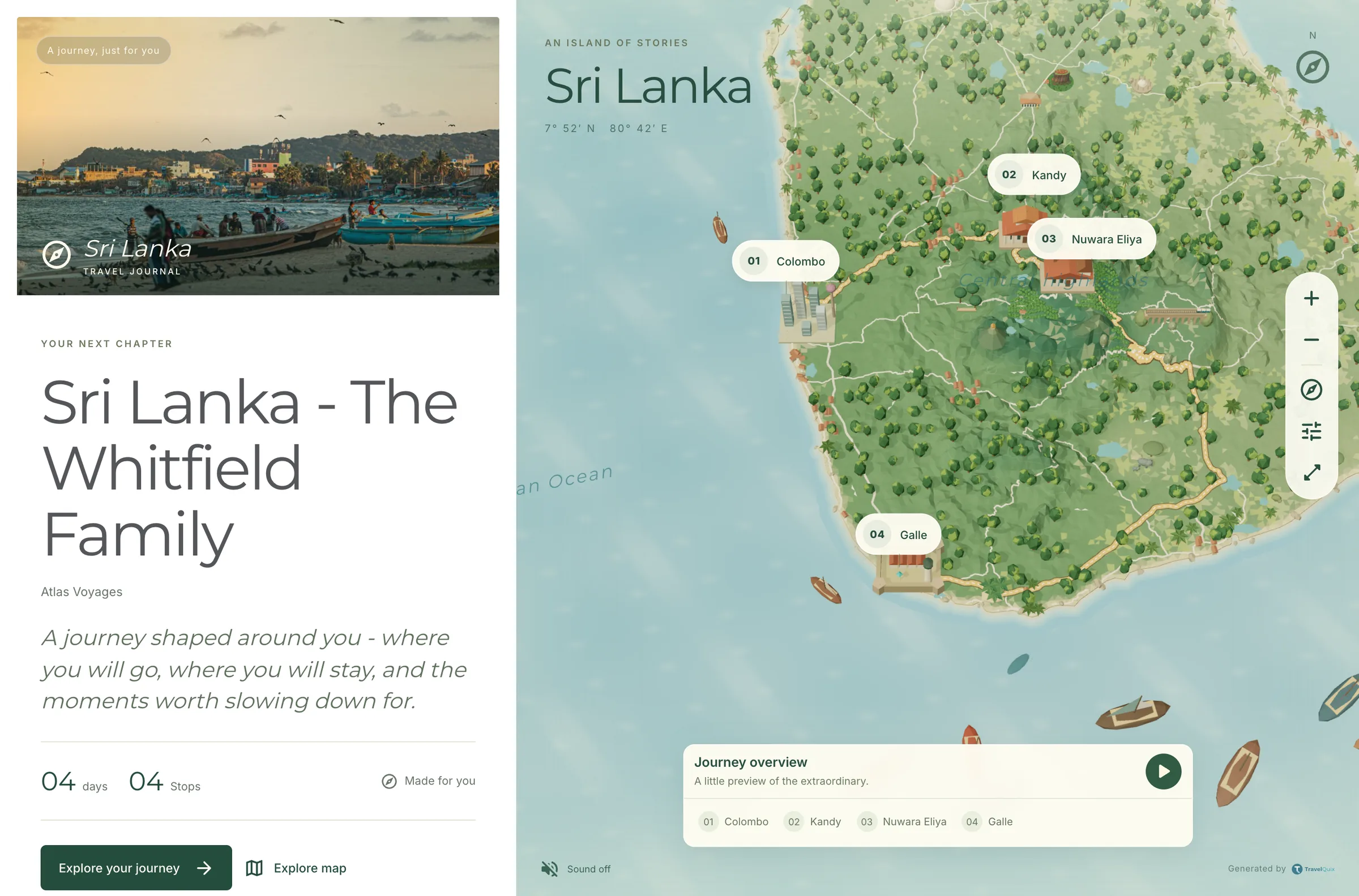
The same booklet opens as an interactive atlas. Each stop sits on an illustrated 3D map with its day beside it, so the traveller can play the journey through before they pack, from the link you already sent.
Stop-by-stop play-through with the day’s detail alongside
Opens from the booklet link, nothing to install
Rolling out destination by destination
And Yuki does the typing
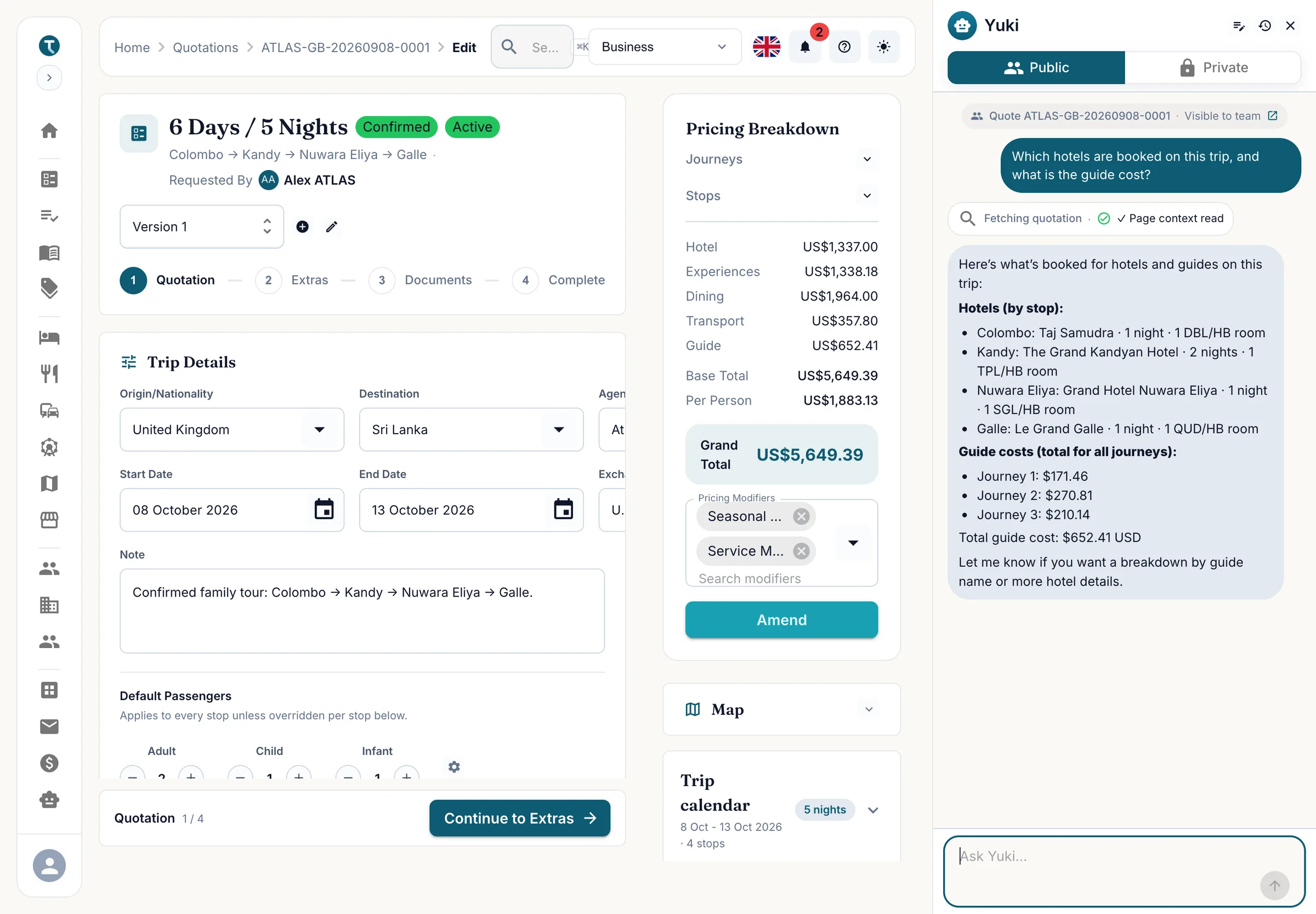
Yuki works inside the quotation rather than beside it. Ask what is booked and it reads the trip. Tell it to add a stop or change the passenger mix and it writes the change in, after showing you what it is about to do.
Searches hotels, transport, attractions, places and people in plain language
Drafts a booklet from rough notes, a paragraph or a supplier PDF
Runs on a monthly allowance that comes with your plan
See it on your own tours
Tell us about your operation and we will set up a walkthrough with your destinations, your suppliers and your currencies. We reply within one business day.
Request a demo